
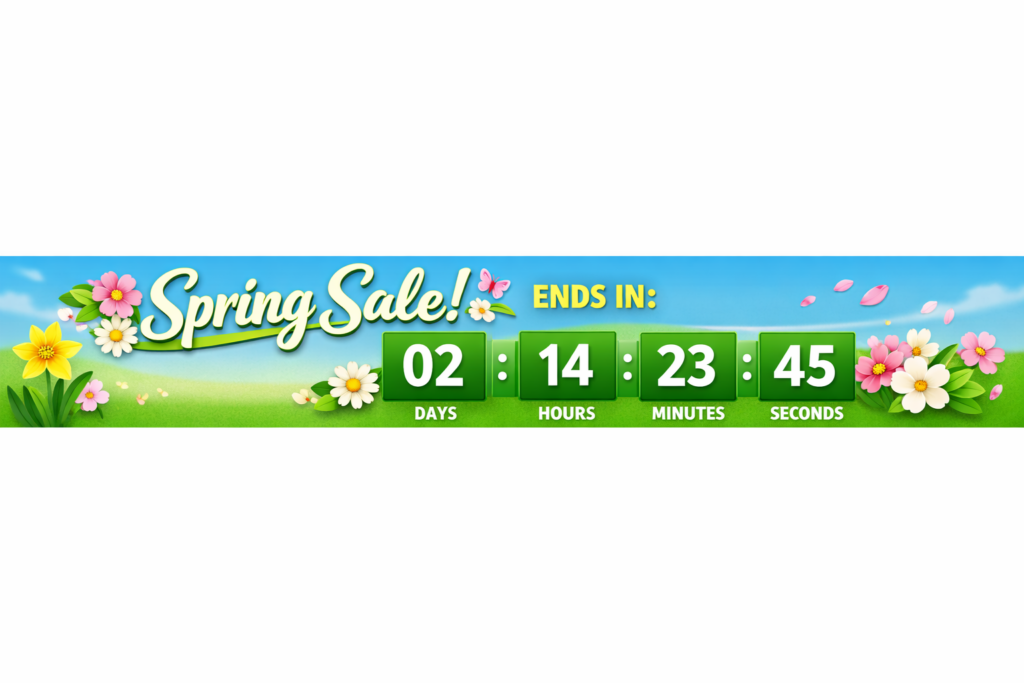
Adding a Spring Sale countdown timer to your online store is one of the most effective ways to turn browsing visitors into paying customers. By visually displaying that time is running out, you create an undeniable sense of urgency that forces shoppers to act quickly.
What is a Spring Sale Countdown Timer?
A Spring Sale countdown timer is a digital clock embedded on a website or e-commerce store that ticks down to the precise end of a seasonal spring promotion. It serves as a visual catalyst, reminding shoppers exactly how much time remains before they miss out on a specific discount, free shipping offer, or limited-time product bundle.
The Psychology Behind Urgency in E-Commerce
Why does a simple clock have such a profound impact on sales? The answer lies deeply rooted in behavioral psychology. When customers visit your store, they are often in an exploratory phase. They might like a product but lack the immediate commitment to buy it right now.
A timer introduces the concept of loss aversion. Humans naturally feel the pain of losing a great deal more intensely than the joy of acquiring a new item. By explicitly showing time slipping away, you trigger the “mere urgency effect,” essentially re-prioritizing the purchase in the buyer’s mind above other tasks. The visual reminder helps overcome buyer inertia, converting passive interest into immediate action.
According to various marketing studies, properly implemented urgency can boost e-commerce conversion rates by 15% to 30%, especially among hesitant shoppers.
5 Proven Tactics for Your Spring Sale
To ensure your Spring Sale countdown timer directly translates into increased revenue, you must place it strategically and use it authentically.
1. Highlight the Deadline in an Announcement Bar
The most visible place to alert traffic about an upcoming or ongoing sale is right at the top of the screen. Using an announcement bar equipped with a sticky timer ensures that the deadline remains top-of-mind as users navigate from page to page. EaseNotify makes this incredibly simple; their announcement bars and banners allow you to integrate countdowns seamlessly without writing custom code.
2. Implement on Product Pages
If your Spring Sale applies to select items, the timer should live next to the “Add to Cart” button. The contextual relevance of seeing the timer right next to the price creates a powerful mental association. The customer knows they must purchase this specific item before the clock hits zero. You can leverage the Page Targeting feature in your widget settings to ensure the timer only appears on the exact product pages that are discounted.
3. Leverage Exit-Intent Popups
Rather than bombarding every visitor the moment they land, use behavioral triggers to show your timer when it matters most. An exit-intent popup fires precisely when a user moves their mouse to leave the tab. Offering a “final chance” discount accompanied by a strict countdown can effectively salvage a high percentage of abandoning visitors.
With advanced widget controls like the Auto-close Widget and customizable Close Buttons, you ensure the exit-intent experience is polished rather than intrusive.
4. Optimize the Cart Page
Cart abandonment is a multi-trillion dollar problem in e-commerce. A Spring Sale countdown timer located inside the checkout or cart page can secure hesitant buyers. Messaging like, “Your Spring Sale discount applies for another 10:00 minutes,” provides the necessary nudge to finalize the transaction.
5. Keep it Authentic and Honest
Never use fake timers that simply reset every time the page refreshes. Consumers are incredibly savvy. If they catch you using fabricated urgency, you will permanently damage your brand’s trust. Always set a genuine deadline. Once the Spring Sale is over, the timer should disappear, and the prices should revert. Utilizing EaseNotify’s Scheduling Widget ensures your timers start and stop exactly when your sale dictates, requiring zero manual intervention at midnight.
How to Choose the Right Timer Tool
Not all website widgets are created equal. When selecting a tool to generate your Spring Sale countdown timer, you need software that is lightweight, highly customizable, and deeply integrated with behavioral targeting.
EaseNotify stands out as the ultimate solution for this. Beyond basic countdown functionality, it offers:
* Sticky Widget capabilities to keep promotions visible at all times.
* Remember Dismissal technology, which prevents annoying the user; if a user clicks the close button on your timer, EaseNotify remembers not to pester them again during their session.
* Beautiful, native-looking designs that match your brand aesthetic flawlessly.
Common Mistakes to Avoid
While urgency is powerful, misuse can lead to frustration. Avoid over-saturating your site. If every single page, product, and collection features a different timer, the concept of urgency is entirely diluted. Furthermore, ensure your timer designs are fully responsive. A massive timer that pushes the “Buy Now” button off a mobile screen will actively harm your conversion rates rather than help them.
Frequently Asked Questions (FAQs)
Q: Do countdown timers actually work for e-commerce stores?
A: Yes, countdown timers significantly boost sales by leveraging the psychological principles of loss aversion and urgency. When implemented authentically, they can increase bottom-line conversion rates by 15-30% by pushing hesitant browsers into immediate action.
Q: Where is the best place to put a countdown timer on my website?
A: The most effective locations are high-visibility areas like sticky top announcement banners, directly next to the “Add to Cart” button on specific product pages, and within the checkout flow to reduce cart abandonment.
Q: Should I use fake timers that reset on every page load?
A: No, you should never use fake urgency. Customers quickly recognize resetting timers, which completely destroys brand trust and credibility. Always align your countdown timer with a genuine, hard deadline for your promotion.
Q: Will a countdown timer slow down my website loading speed?
A: This depends on the tool you use. Modern, optimized solutions like EaseNotify are highly lightweight and specifically designed to load asynchronously, ensuring they do not negatively impact your core web vitals or page speed.
Q: Can I set a timer to run only on certain pages?
A: Yes, advanced widget tools offer Page Targeting features. This allows you to specifically include or exclude certain URLs, ensuring your timer only appears on relevant product or landing pages associated with the sale.
Ready to maximize your e-commerce conversions before the season ends? Create an authentic, high-converting Spring Sale countdown timer in minutes. Add beautiful, targeted announcements to your site and start turning browsers into buyers today.
Try EaseNotify Pro Now
2 thoughts on “Spring Sale Countdown Timer: 5 Proven Tactics To Maximize Conversions”